
error

You need to be logged in to download designs

Blink's avatar

Blink

8 months ago

5

💬
Discussion
Help plz

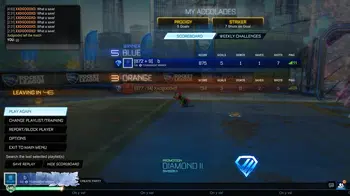
Yeah so I got pc and I’m really likin it but I don’t know how to get captures onto my phone. If anybody knows how to it’d be really nice cuz my dad wanted to add parental controls so now I only have 15 minutes on things besides rl which isn’t enough time to actually edit clips and make montages and stuff. If someone knows how to help would be appreciated. Thanks ❤️ 🙏

7 Comments Share Report

Join the discussion

Please login to participate in this discussion!

Avatar
Community AdminCommunity Admin

Metazolid

8 months ago
If you have an Android, just connect it to the pc via the charging cable and copy & paste the files into a newly created folder. Alternatively you could ask your dad if he can make an exempion for creative work, since that's actually a useful thing that needs to be supported to thrive and not supressed under blanket ruling. Especially since you can sidestep it entirely but would only make the whole process more complicated.
Avatar

LND_pink_pnda

Diamond II · Division I
Veteran
8 months ago
bro this is the only comment you need
Avatar
Community AdminCommunity Admin

Metazolid

Diamond I · Division III
Tactical Whiffer
8 months ago
@Wozinho I have an Android and a pc where I backup my photos frequently, different filetype but same concept.
Avatar

Blink

Champion I · Division I
8 months ago
Don’t have android but I will ask him. Thanks meta 🙏❤️
Avatar

GmFunk

Platinum I · Division II
8 months ago
I used to do the xbox game bar clipping then email it to myself then download off my phone but now I'm using medal. Medal is nice cuz you have a hotkey on pc to clip last ___ seconds, then you can get their app and dowload them from there, you can also access them on the pc too
Avatar

Blink

Champion I · Division I
OP
8 months ago
Alr I’ll def check that out too thanks man 🙏
Avatar

BloomRLG_YT

Diamond I · Division II
S19 Tournament Winner
8 months ago
Download Postparty, it’ll help you make clips that aren’t too long. Then, you connect the Postparty to your phone and it’ll send your clips there dawg
Avatar

Blink

Champion I · Division I
OP
8 months ago
Oki I’ll try that too. I used to have it but I didn’t love the way it worked but I’ll try again
Avatar

Blink

Champion I · Division I
OP
8 months ago
@LND_Cxsmic oki I’ll try again today
Avatar

Icysun

Champion III · Division I
8 months ago
@LND_Cxsmic it stopped working for me last year.
Avatar

BloomRLG_YT

Diamond I · Division II
S19 Tournament Winner
8 months ago
@WRLD_osoicy yeah they did. Took them long enough. It doesn’t work for switch, but I tried it on my buddies thing and he got it working. I checked the App Store and it said that it got bugs fixed. Sooo I’d assume so
Avatar

Jonaxy

Diamond I · Division I
Design Legend
8 months ago
@LND_Cxsmic it stopped working for me that’s why I downloaded medal lol, good to see it’s fixed now but I think I’ll continue using medal bc it’s higher quality
Avatar

Vaylence

Gold III · Division III
8 months ago
I know all about time limits and parental controls 😭
Avatar

gar-7

Gold I · Division II
S10 Tournament Winner
8 months ago
Why is Like everyone getting a pc 😭🙏
Avatar

AST_Enigma

Platinum I · Division I
S19 Tournament Winner
8 months ago
can u post a clip with ur pc and are u going to get bakkesmod?
Avatar

Blink

Champion I · Division I
OP
8 months ago
Idk I’ll prolly js try to post it straight from the pc. Idk yet I gotta figure it all out first
Avatar

AST_Enigma

Platinum I · Division I
S19 Tournament Winner
8 months ago
@LND_Eclipse u can use game bar (windows+g) and then u can capture moments
Avatar

Blink

Champion I · Division I
OP
8 months ago
@LND_Eclipse yeah but I like making short montages and stuff. Usually I put some mid clips with like a good one 🙂
Avatar

Blink

Champion I · Division I
OP
8 months ago
@LND_Eclipse I just posted a clip and I sent it to my phone by Gmail but the quality wasn’t that great on my phone so we’ll have to see

We’ve updated our privacy policy

We use cookies and other tracking technologies to improve your browsing experience on our site, show personalized content and targeted ads, analyze site traffic, and understand where our audience is coming from. To find out more, please read our Privacy Policy, which has also been updated and became effective July 31st, 2023.

By choosing "I Accept", you consent to our privacy policy, our use of cookies and other tracking technologies.